Showing posts with label Vinyl. Show all posts

Tuesday, March 17, 2015

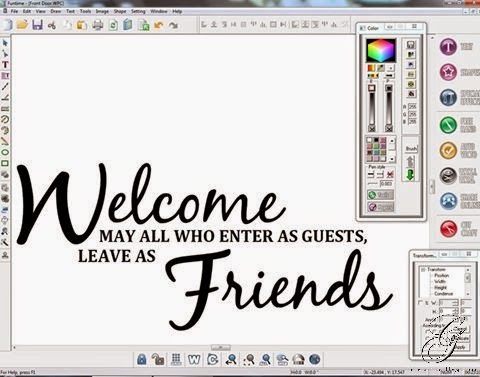
Welcome Friends Vinyl Door Decal


Machine Used: BossKut Gazelle
Software: Funtime Scrapbooking IV
Fonts Used: BlackJack, Cambria
Materials: Outdoor Vinyl, Transfer Tape

I've seen this sentiment or something similar used and have always loved the welcoming feel of it.  Most times it is made with indoor vinyl and placed inside but I wanted to decorate our boring white front door.

Using my Funtime program, I created the sentiment and positioned it how I wanted it placed.  With Funtime, this project is really very simple and took little time to complete.


After cutting the vinyl in black outdoor vinyl, I weeded the negative space off and placed transfer tape on it.  I eyed the center as best I could and put it on the front door.


Thanks for looking!!
*´¨)
¸.•´¸.•*´¨) ¸.•*¨)
(¸.•´ (¸.•` ¤ Jamie*´¨)

Monday, June 30, 2014

No Soliciting Sign


Machine Used: BossKut Gazelle
Software: Funtime Scrapbooking IV
Fonts Used: Aachen Bold (Funtime font), Hobos (Funtime font), Black Jack (True Type), Friz Quadrata Medium (Funtime font), Christian Crosses (True Type), Frutiger Medium 55 (Funtime font), Futura Bold (Funtime font), and Army (True Type).
Materials: Oracal 651 Black Vinyl, Wooden sign (purchased at local Michaels)

At my parents home they get A LOT of solicitors, so my Mom asked me to make them a "No Soliciting" sign.

We found a sentiment that she loved and I got to work in Funtime using different fonts.  Creating the design and letting my Gazelle cut it was the easy part!  I used transfer paper to move the design to the wooden post and that's where my part ended.  :o)

My parents took that home, added quite a few layers of sealant over the vinyl and wood.  Then added the post to ground and secured the sign to post.

I can't wait to see if this makes any difference to the amount of solicitors they receive!


Thanks for looking!!
*´¨)
¸.•´¸.•*´¨) ¸.•*¨)
(¸.•´ (¸.•` ¤ Jamie*´¨)

Wednesday, June 11, 2014

Spruced up my Keurig


Machine Used: BossKut Gazelle
Software: Funtime Scrapbooking IV
Materials: Oracal 631 vinyl

For my birthday this year I got a Keurig.  It took me a bit to transition from my coffee pot to the Keurig but then again when my coffee pot died I didn't really have any other options.  My biggest concern was the cost of the "K-cups" so I ended up purchasing those reuseable cafe cups.
 

My next concern was how plain it looked in my kitchen!  :o)

The first addition was adding the amount of the cup sizes since my dearest hubby and guests constantly ask me what the ounces were to each of the cups.  Of course noticing the circle shapes of the buttons, I decided to add my own "hidden Mickey."


After searching the internet for some coffee inspiration, I found that I really liked the "coffeeology."  Using several different fonts, I re-created it in my Funtime program.


During my internet search I also found this adorable coffee cup and steam made with hearts.  Absolutely loved it and converted it to a cut file and added it to the water reservoir.


Thanks for looking!!
*´¨)
¸.•´¸.•*´¨) ¸.•*¨)
(¸.•´ (¸.•` ¤ Jamie*´¨)

Tuesday, June 3, 2014

Valentine's Day Bucket


Machine Used: BossKut Gazelle
Software: Funtime Scrapbooking IV
Materials: Plain bucket, Oracal 651 vinyl

I know, A LOT late in getting these posted.  I've been VERY neglectful in getting blog posts wrote up and pictures taken of my projects this year.  I made these for the WONDERFUL ladies that teach my children in their pre-school.
 
I wanted the names to be straight on the buckets.  In order to do that, I needed to figure out the dimensions of the cone that made the buckets.  Fortunately for me, my dearest hubby is an engineer and I could rely on him to teach me how to figure it out.  :o)  Here's what I used to figure out the arc for my writing.  I honestly don't remember where I got this from and wish that I could link to it directly.
 
 
It looks A LOT more difficult than it really is.  I liked the fact that I could cut the names in the arc, use transfer tape to maintain the integrity of the design, and it would be straight on the bucket.

Thanks for looking!!
*´¨)
¸.•´¸.•*´¨) ¸.•*¨)
(¸.•´ (¸.•` ¤ Jamie*´¨)

Tuesday, January 14, 2014

Army Wife Wine Glass


Machine Used: BossKut Gazelle
Software: Funtime Scrapbooking IV
Materials: Oracal Vinyl 651, plain red wine glass

I had so much fun putting this wine glass together!  My sister got this beautiful Air Force Wife wine glass and I immediately wanted an Army Wife one.  Well, instead of buying one that I found online, I chose to open up my Funtime program and get to work.  This made it easy to create the wine glass EXACTLY how I wanted it.

I used 4 images and I'm still debating if I want to add to the stem of the glass.


The castle on my glass represents my dearest hubby's MOS (Military Occupational Specialty), an Engineer!  Based on some of the cute Engineer wife things available, I used the sentiment "Queen of his castle" for the base of my glass.  Super cute!!

 
Here are my vinyl designs before application.  I definitely recommend layering your vinyl before applying it. 
 
The Army Wife design was one that I worked relentlessly!  I made several of them before finally finding the one that I liked the best.  With the help of Judy at Scrap Cuts by Judy, I got exactly what I wanted!  THANK YOU SO MUCH JUDY!!

 
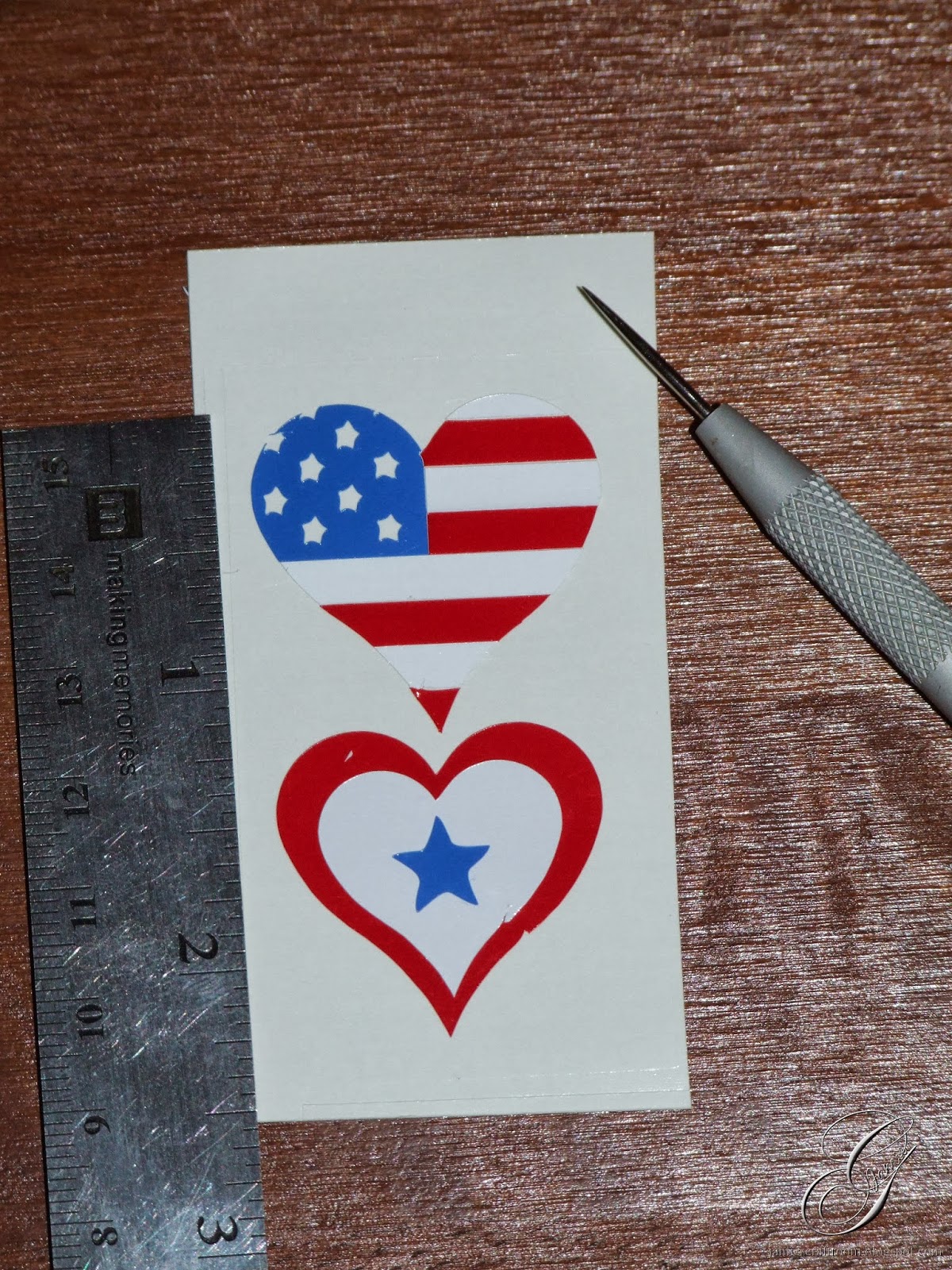
The heart was the last design that I applied.  I couldn't decide which one I wanted to go with, the heart with the American flag or the one that looked more like a service flag.
 
I made both of these files easily in Funtime!


Thank you so much for taking the time to check out my wine glass.  Now I'm off and on to another project!

Thanks for looking!!
*´¨)
¸.•´¸.•*´¨) ¸.•*¨)
(¸.•´ (¸.•` ¤ Jamie*´¨)

Saturday, December 28, 2013

Personalized Baby Onsies


Machine Used: BossKut Gazelle
Software: Funtime Scrapbooking IV
Files Used: Baby Bib with Bows by Scrapcuts by Judy
Materials: Heat transfer vinyl, plain white baby onsies

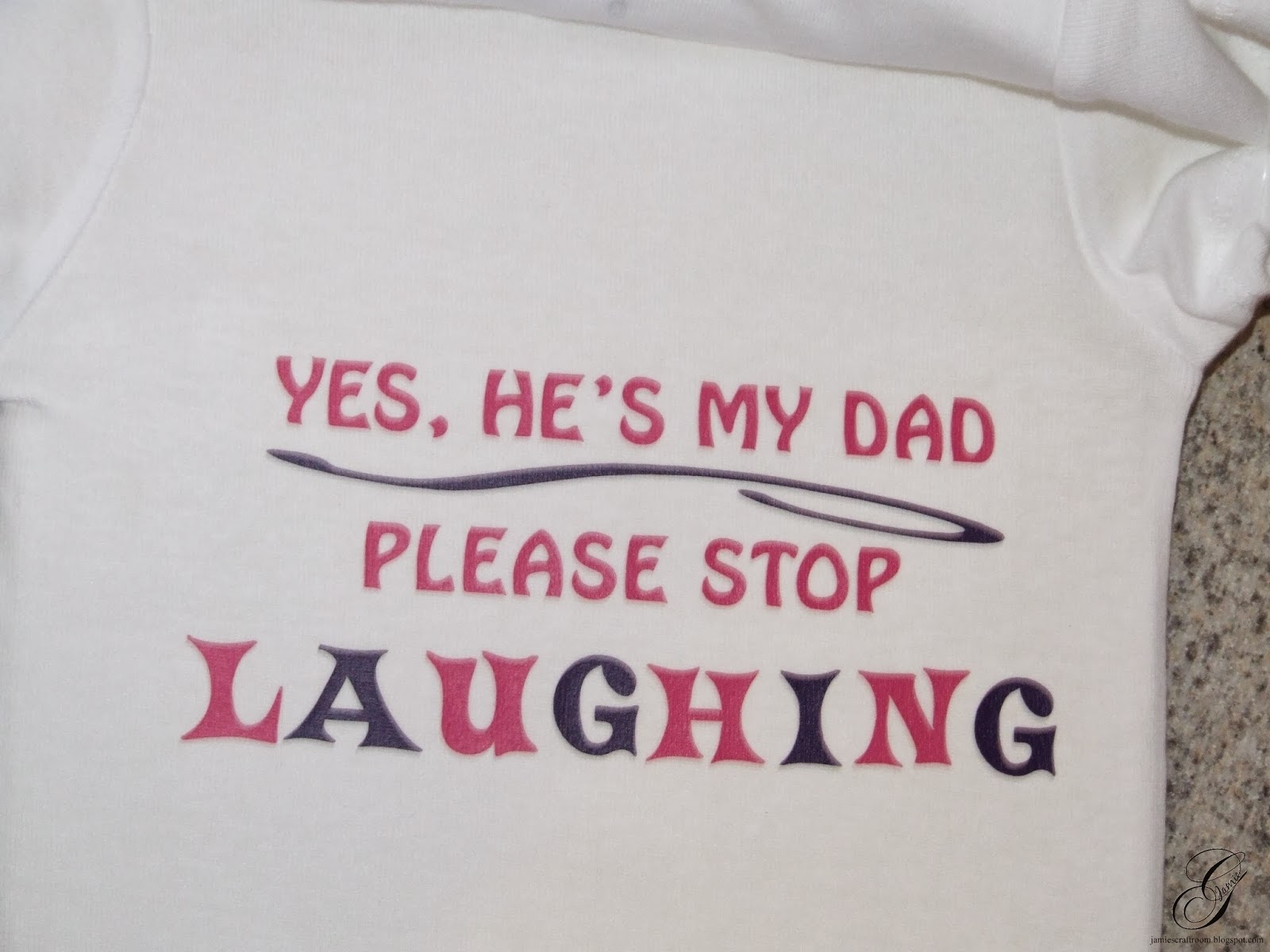
My cousin approached me and asked if I would be willing to make her some onsies for her great niece that is due in January.  Well, obviously I said yes and here is a result of that request.  She gave me the sentiments that she wanted and I chose fonts, layouts, and designs.

For some of them I referred to the internet for inspiration.

The first onsie below with the bows I had originally wanted to add the complete file Baby Bib with Bows by Scrapcuts by Judy but was having some issues with getting the bib to fit how I wanted it on the onsie.  It's such a beautiful file and I didn't want to distort the image too much and risk loosing the beauty of it.  So, I chose to use the bows from the file and add a layered necklace.

Simple designs that add just the right touch to a plain white onsie.


Thanks for looking!!
*´¨)
¸.•´¸.•*´¨) ¸.•*¨)
(¸.•´ (¸.•` ¤ Jamie*´¨)

Monday, December 23, 2013

Etched Wine Glasses


Machine Used: BossKut Gazelle
Software: Funtime Scrapbooking IV
Files Used: Simple Fruit Grapes
Materials: Oracal 631 vinyl, Armour Etch

This simple project was created as a gift.  I purchased a set of 4 white wine glasses, something I knew that she would like, and added a little personalization to them.

For the first one, I started with the sentiment, "Aged to Perfection."  I used the BlackJack true type font and welded the letters together in Funtime.  It's one of my favorite fonts to work with lately because I love the look of it when it's welded together.


From the Open Clip Art Library, I downloaded the Simple Fruit Grapes and used the auto vecto feature in Funtime to create the cut file.

For the second one I typed out "Mimi's Sippy Cup" in a true type font called first-grader.


The third and the fourth took a little more time to complete.  I stared with the initial of a first name and used the font Easy Street EPS.  To create thicker lines, I outlined the letter and deleted the original inital.  The benefit to doing this was create the thicker lines and then making it easier to see in the design on the wine glass.


The first names were typed in BlackJack true type font and again I welded the letters together in Funtime.

When I layered the intial and the name together it seemed as though the first name would be lost in the initial when they were etched together.  To get the first name to appear on top of the initial I started by creating an outline around the name.  Then in Funtime, I took the outline of the name and placed it where I wanted it to appear on the inital.

Make sure to first select the border of the name, right click, and then select To front.  This is important to make sure that you do because it is what will make the subtract function work the way we want for this application.

Once you have the name on top of the initial, select both and select the icon on the left of your screen to Subtract all selected objects to the first element.

Now if you go ahead a line up the name on top of the initial you will see a border around the name that goes through the inital.

When you're ready to cut the vinyl, make sure to cut all of it together.  That will make it easier and will keep the integrity of the design that you've just worked on!

Thanks for looking!!
*´¨)
¸.•´¸.•*´¨) ¸.•*¨)
(¸.•´ (¸.•` ¤ Jamie*´¨)

Monday, July 29, 2013

Wine Cork Shadowbox


Machine Used: BossKut Gazelle
Software: Funtime Scrapbooking IV
Materials: 11 x 14 Black Top Loading Shadowbox, Oracal 631 vinyl (indoor)

This project was inspired by a pin on Pinterest and this image I found on the internet.  I LOVE the idea of a single place to put all my wine corks.  Before I finished the shadowbox, I was collecting them in an oversized coffee cup and when that got full I transferred some of them to a plastic container.  I definitely needed a more creative place to keep them!

Once I decided to do this, I went straight to the internet to see if I could find a sentiment regarding wine that I would want on my shadowbox.  I also posted a message to Facebook to seek some guidance and suggestions from my wine drinking friends.  Of course in doing this, my sister decided she wanted one too!  That's not a problem when it comes to my Gazelle and Funtime.

I headed out to my favorite store to get some frames.  With the sale they had going on and the added coupon I got a GREAT deal on 2 of the 11 x 14 Black Top Loading Shadowbox.


Loved the way both of these turned out!!  Now we've got a place to store our wine corks until another project comes along and we need a few for that.  :o) 
 

Thanks for looking!!
*´¨)
¸.•´¸.•*´¨) ¸.•*¨)
(¸.•´ (¸.•` ¤ Jamie*´¨)
Wednesday, July 17, 2013

Construction Cone Personalized Cups


Machine Used: BossKut Gazelle
Software: Funtime Scrapbooking IV
Materials: Oracal 651 Vinyl (outdoor vinyl)

With my dearest son's 3rd birthday quickly approaching I finally decided it was time to get some things done in preparation for the party.  As I'm sure with most boys his age, Disney Cars is the way to go.  We still watch it on a daily basis and his favorite color is red, just like Lightning McQueen.

While searching for some cute ideas for his birthday I came across these construction cone cups.  They are cute but I noticed that the biggest complaint about them was the paper on the base.  I went ahead an ordered them any in hopes that I would be able to do something about that.

Fortunately the cup can actually come off the base and I was able to peel the paper off easily.  I did some basic measurements on the size of the square and the diameter of the circle.  Then with the help of the Funtime software, I was able to create the same thing and cut it in outdoor vinyl.  It wasn't the easiest thing transferring the vinyl to the base but eventually with a little patience I did the best I could.  Now a more permanent fix and it will make washing the cups A LOT easier without having to worry about wrecking it!
 

I couldn't stop at the base . . . . not since I was on a roll!!  Using the same basic shape of the Cars logo, I added each the of the kiddos names to personalize the cups.

I used the true type font Magneto and welded the letters together in Funtime.

 
A fun little thank you to the kiddos attending and a way to keep from getting the drinks mixed up!
 
More to come on my son's birthday and until then KA-CHOW!!  ;o)
 
Thanks for looking!!
*´¨)
¸.•´¸.•*´¨) ¸.•*¨)
(¸.•´ (¸.•` ¤ Jamie*´¨)

Sunday, July 7, 2013

Vinyl Decorated Mailbox


Machine Used: BossKut Gazelle
Software: Funtime Scrapbooking IV
Files Used:  Swirls 0989, Butterfly Silhouette 0327, Butterfly with Flourishes 0395, Ruffled Butterfly by Judy Stark BKD 105,
Materials: Oracal 651 Vinyl (permanent vinyl)

For this project I thought that it was about time that I added a little more decoration to our mail box.  Keep in mind that we put this mailbox up 8 years ago when we first moved in and it's just sat there . . . black and plain.  Very sad. 

I started with the "G" using the true type font Easy Street EPS.  The problem I had was this font was really thin in some spots.  To "thicken" it up I used the outline option in Special Effects.  I only outlined it by 0.01 because I didn't want to lose the "G" in the outline.

I then lined up the swirls on either side of the "G" and cut the image out as a whole making sure to use the weeding option in the Cutting Control Panel.
 
 
I used transfer tape to maintain the integrity of the design and to place it on both sides of the mailbox.
 
For additional decoration, I added several of the beautiful butterflies in no particular order.


It was a simple project that allowed me to add a lot of personality to our mailbox.  Make sure to check out the other Boss Kut Dies for inspiration on your next project!

Thanks for looking!!
*´¨)
¸.•´¸.•*´¨) ¸.•*¨)
(¸.•´ (¸.•` ¤ Jamie*´¨)
BossKut Design Team Member

For more projects and information, please click links below:
BossKut Gazelle Blog
BossKut Company Blog

Sunday, April 7, 2013

Starr's Photography Watermark


Software: PaintShop Pro X

My cousin asked me if I would help her create a watermark for her photos and of course, my answer was absolutely!  Above is a simple design that we worked on together, via e-mail's.  She chose the fonts and I put them together so that the "S" and the "C" were threaded through each other.

We played with many different fonts and finally settled on the simple ones that would offer her more opportunities than using them in printed form.

Check out her website here or her Facebook page here!!

AND, after that was done I just couldn't stop there!  I offered to make her some vinyl decals for her vehicles.  Where else would I go other than my beautiful Gazzy?!  :o)


Machine Used: BossKut Gazelle
Software: Funtime Scrapbooking IV
Files Used: * see above *
Materials: Oracal 651 vinyl (outdoor vinyl)

The larger decals are 6 inches and the smaller ones are 4 inches.  With the smaller ones, although the "Starr's Photography" and "2013 © Starr Cuevas" cut out beautifully with my Gazelle they were a pain to weed!!  Also, I honestly don't think that they would hold up well on a vehicle.


On a completely different topic, I've expanded to Facebook finally!! Please come check out my page and while you're there, how about a like?! :o)


Thanks for looking!!
*´¨)
¸.•´¸.•*´¨) ¸.•*¨)
(¸.•´ (¸.•` ¤ Jamie*´¨)
Related Posts Plugin for WordPress, Blogger...